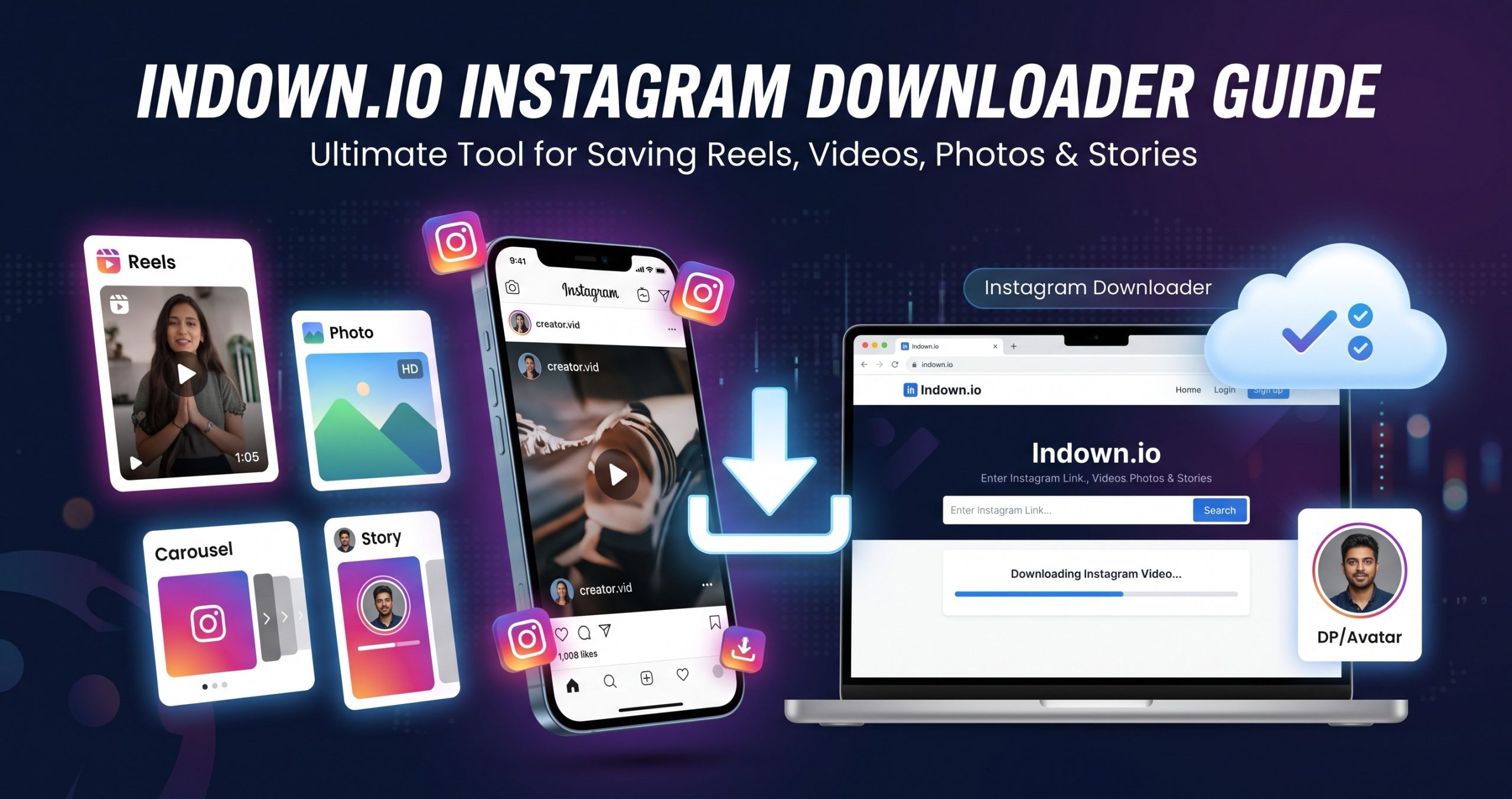
Instagram was designed for endless scrolling, not saving. Whether you want to save a recipe reel for later, take a reference photo for your project off the app, or archive a tutorial to watch while offline and without data, Instagram’s basic account can’t do it. The “Save” button within the application only saves media inside the Instagram app itself, not onto your phone’s local gallery. A third-party tool can save that for you. The Indown.io Instagram Downloader is the most popular service of this kind for extracting images and video from the social network’s servers. Below are the specifications, brief description, and personal usage notes about the website.
Summary: Key Specs and Features
| Feature | Specification |
| Price | Free (Ad-supported) |
| Account Required | No login / No registration |
| Supported Content | Reels, Feed Videos, Photos, Carousels, Stories, DP/Avatars |
| Output Video Format | MP4 (1080p Original) |
| Output Photo Format | JPG/JPEG (Original uploaded clarity) |
| Watermark Added? | No watermarks added |
| Supported Platforms | Windows, Mac, Android, iOS, Linux (Any browser) |
| Installation Required | No (100% online, in-browser) |
Indown.io represents a cloud-based media fetching tool designed explicitly for Instagram. The technology behind it is rather simple the tool scans a provided link for a post or story and parses the Content Delivery Network server address where the social network stores the original file. Since it does not require software installation (as a script is run directly in-browser), no third-party apps, APKs, or extensions are needed. As the tool does not ask for an Instagram login/password, it cannot access your personal content, be it photos, videos, or stories. However, you can download nearly every type of file that Instagram allows its users to post, from the 15-second long Reels to the 24-hour long Stories. Here is what else can be done with the Instagram downloader.
Supported Post Formats and Their Description
-
Instagram Reels: 15 seconds long short videos with sound;
-
Standard Instagram Videos: Regular uploads with a square or horizontal composition;
-
High-Resolution Photos: Individual image uploads without any slides;
-
Instagram Carousel Posts: Gallery-style posts with multiple photos or videos;
-
Instagram Stories: The 24-hour long short videos, downloadable without being a friend with no trace;
-
Instagram DP/Avatar Photo: A high-resolution profile picture that the social network only displays in its small size.
How to Save Instagram Content with Indown.io
First, you need to copy the link to the post, story, or reel you want to download. The procedure differs depending on whether you are copying the link on your phone or a computer:
-
Copying the link on your phone (iOS/Android): Open the post/story/reel in question in the Instagram app, tap the Share / Paper Plane icon (+ icon in the top right corner), and copy the link from the appeared menu.
-
Copying the link on your computer: Open the post/story/reel in question on the website instagram.com, and copy the URL from the address bar.
After you copied the link, you need to open indown.io in your browser and enter/paste the link into the appeared field and click the search/download button.
Finally, you will see a preview of your Instagram post. Click the blue download button below it, and the file will be saved to your computer/mobile device’s default download folder. If you are using the iOS Safari browser, be aware that videos get opened in a separate tab instead of getting downloaded right away. In such case, hit the Share button and then Save to Files or Save Video to Camera Roll to save the file.
Personal Notes: Speed, Interface, Performance
Having tried the tool multiple times on different browsers and devices, I have discovered a couple of useful notes regarding the tool’s performance.
-
Speed: Your 15-second reel will parse in 2-4 seconds on a good internet connection. The carousels take longer due to having multiple images/videos to parse (5-7 seconds).
-
Interface: Straightforward and simple, with no bells and whistles. On the downside, since it is a free website, there are some intrusive ads on the interface.
-
Performance: Overall pretty solid with no major issues. On rare occasions, particularly when Instagram updates its internal system, the tool may show an error due to parsing issues. This is a common problem among similar tools, with the issue being resolved in 1-2 days after the update.
Quality, Resolutions, Watermarks
Speaking of video quality, one of the main reasons why people use third-party Instagram downloaders is that they do not have to record content via screen recorders. Indown.io parses the original file that Instagram uses on its servers. It means that if someone uploaded a 1080p video, you will get a 1080p video as well. The tool does not reduce the quality of the file, not adding any watermarks, scaling, or extra effects. It is worth noting that Indown.io does not put any watermarks on photos and videos parsed from Instagram. However, you cannot use the tool to remove watermarks added by content creators themselves.
Is It Safe to Use?
When it comes to safety, there are two aspects to consider when discussing such websites, and Indown.io is not exempt. On the one hand, the tool is safe and secure; on the other – some features may be intrusive. Having said that, both are rather situational, and there is little to worry about in practice.
-
Account Security (High Safety): Since it is an Instagram downloader that does not require you to log in anywhere, your account data is safe and will never be at risk. The tool does not ask you to provide your login details at any point, nor does it have any access to your personal data, be it photos, videos, or stories. In short, you cannot be banned or hacked via the tool.
-
Ads and Redirects (Moderate Safety): Indown.io generates revenue by showing ads on its website. In particular, there are banner ads that appear every time you visit the page. Some banners can be misleading, so it is best to avoid suspicious-looking links. On rare occasions, you may get redirected to a suspicious website. However, this is not a widespread issue, and it is best to avoid clicking on ads.
Read more shukh dukkho niye caption
Common Issues and How to Solve Them
| The Issue | The Solution |
| No Download Button Appears | Instagram updated its code or the URL you are trying to parse has some unnecessary tracking strings attached to it. Delete the tracking string from the end of the URL (?igsh=xyz or ?utm_source=abc), and try again. If it does not help, refresh the page and clear your browser’s cache. |
| “Media Not Found” or “Private” Error Appears | The media belongs to an Instagram private account. Web Instagram parsers cannot bypass the privacy settings. You can only download media from public Instagram accounts for now. If you follow the private account, you can try running the request via browser’s source code parser. |
| No Sound Recorded with Instagram Reels | The sound in the Instagram reel is disabled for your region or not licensed for your country. Check if the sound in the reel is enabled in the Instagram app. If the sound is disabled, the file downloaded via Indown.io will not have sound as well. |
Pros and Cons
| Pros | Cons |
|
• Zero account risk • No watermark or resolution loss • Easy of use • Wide range of supported formats • Fast download and free of charge • Works with all platforms seamlessly |
• Only works with public content • Some users may find ads intrusive • No option to download entire profile content • Limited to Instagram public accounts only |
Alternatives
Although the Indown.io Instagram downloader tool works great, it may be unavailable for various reasons, ranging from scheduled maintenance to technical issues. If the website is unavailable at the time, you may want to try these alternatives below;
| Alternative | Best For | Standout Feature | Limitation |
| SnapInsta | High-speed single downloads | Clean interface with fast Reel downloads | May get redirected to ads on mobile |
| SaveFrom.net | Multi-platform power users | Supports TikTok, YouTube, and Instagram | Interface-heavy on low-end devices |
| FastDl (formerly iGram) | Download Instagram carousels | Neat layout for multi-photo posts | Some servers get overloaded |
| Inflact | Marketing professionals | Advanced profile search, full-profile view | Free plan has limitations |
Who Should Use It?
| Recommended For | Not Recommended For |
|
Casual media savers: • Individuals who want to save recipes, tutorials, DIYs, and other useful information offline; • Marketing researchers who need to save stories, photos, and other content for reference, editing, or re-sharing; • People who want to archive their travel content while abroad with no data; • Individuals who want to save video content for learning or entertainment offline; |
Bulk data savers: • Those who want to download hundreds of photos from their Instagram account as a backup; • People who want to download content from private accounts (non-following). |
Conclusion
All in all, the Indown.io Instagram Downloader is a tool that delivers on its promises. It is a fast, free, convenient method to download Instagram content without resorting to complicated procedures. Although the tool does come with some limitations (no support for private accounts), it has few flaws for a free website, with ads being the primary one. Overall, it is a reliable tool for casual use.
You may also like